Back to School with School Desk Designs
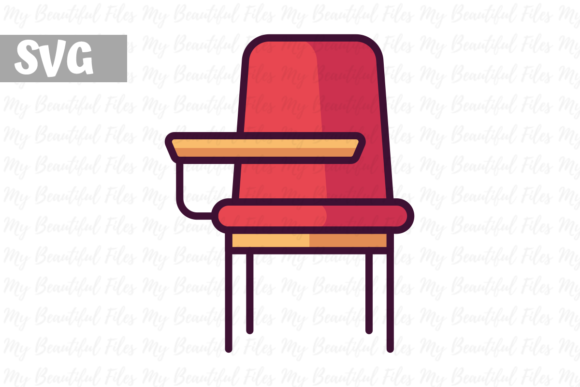
When you need a versatile visual that captures the spirit of learning, the School Desk - Back to School icon set offers a refreshingly practical solution. This digital download provides high-quality SVG formats, making it easy to incorporate into a wide range of projects. Whether you are a designer working on branding, a teacher preparing classroom materials, or a hobbyist looking for inspiration, this icon set combines simplicity with functionality. The file is clean, scalable, and ready for use once you download it. The watermark you see in the preview is only for copyright protection; your purchased files will be free of any marks, ready for your creative workflow.
Why a School Desk Icon Fits So Many Projects
A school desk is a powerful symbol. It represents learning, structure, growth, and the beginning of new opportunities. By using this icon, you tap into those associations without needing complex imagery. The clean vector design ensures that the image remains crisp whether you use it on a website, a poster, or a small sticker. For creators, this means one asset can serve multiple purposes without losing quality. The SVG format is particularly useful because it allows you to edit colors, scale to any size, and combine with other graphics seamlessly.
Creative Applications for Designers and Crafters
If you work in graphic design or crafting, the School Desk icon opens doors to many possibilities. Here are some practical ways to use it across different mediums:
- Branding for educational products: Use the icon as a logo element for tutoring services, online courses, or school supply businesses. Its clean shape works well in both digital and print materials. For example, incorporate it into a badge or combine it with learning-related text for a memorable mark.
- Social media graphics: Create consistent post templates for back-to-school campaigns. The icon can serve as a background element, a focal point, or part of a repeating pattern. Try pairing it with seasonal colors to keep content fresh each month.
- Printables and planners: Incorporate the desk icon into printable schedules, lesson plans, or organizational charts. The SVG ensures fine details remain sharp in print, even at small sizes. Teachers appreciate these ready-to-use designs for classroom management.
- DIY projects: Cut the icon from vinyl for custom t-shirts, mugs, or tote bags. The simple lines are ideal for cutting machines and screen printing. For a handcrafted look, use the icon as a stencil on wood or canvas.
These examples show how one icon can be adapted for different formats. The key is to experiment with scale, color, and placement to suit your specific audience.
Adapting the Icon for Different Audiences and Goals
Not every project needs the same approach. Depending on your target audience, you can modify the School Desk icon to match their expectations. For instance:
- Educators and schools: Keep the design in classic school colors like red, blue, or green. Use it on flyers, newsletters, and classroom signs. The icon can also be part of a larger illustration featuring books, pencils, or a blackboard. This creates a cohesive theme for back-to-school events.
- Entrepreneurs and small business owners: Use a more modern color palette or a minimalist style. The icon can represent a startup’s focus on learning and development. Pair it with bold typography for a contemporary look that communicates growth and innovation.
- Bloggers and content creators: Use the icon as a recurring visual element in blog headers, email headers, or course modules. It helps create a recognizable brand identity around education or productivity. Add subtle animation for digital use, such as a gentle bounce on hover.
- Hobbyists and crafters: Experiment with textures and overlays. For example, give the desk a hand-drawn feel by adding slight imperfections, or combine it with floral elements for a unique style. The SVG format allows you to distort or rotate the icon without degradation.
Understanding your audience helps you make intentional choices with the icon. The SVG format gives you the freedom to edit and refine until the design aligns with your message.
Practical Tips for Using SVG Files
Working with SVG files is straightforward, but a few best practices can help you get the most out of your School Desk download. First, always keep a copy of the original file before making changes. SVGs are resolution-independent, so you can resize them without worrying about pixelation. Use vector editing software like Adobe Illustrator, Inkscape, or Affinity Designer to customize the colors, strokes, and shapes. If you are using the icon on a website, you can even edit the SVG code directly to adjust colors or add animation. For print projects, export the file as a high-resolution PNG or PDF from your vector software. This ensures that the watermark-free icon maintains its clarity on physical materials.
Another tip is to organize your icons into a library for quick access. If you are working on multiple projects, having a consistent set of assets saves time. The School Desk icon pairs well with other school-related symbols such as apples, pencils, or books. Create a cohesive theme by using the same line weight and style across all elements. For motion design, consider using the SVG in tools like After Effects or Lottie to add movement to the desk shape.
Inspiration for Seasonal and Year-Round Use
While the icon is perfect for back-to-school season, its usefulness extends throughout the year. Here are some project ideas that go beyond September:
- New year goal setting: Use the desk icon in worksheets, planners, or vision boards related to learning goals. It reinforces the idea of continuous growth. For January launches, combine it with calendar elements.
- Classroom decorations: Print the icon on posters, banners, or name tags. Teachers can use it to label desks, cubbies, or learning stations. The simple shape is easy to cut and laminate for durability.
- Event materials: For workshops, seminars, or training sessions, include the icon on name badges, handouts, and presentation slides. It subtly communicates the theme of education without overwhelming the content.
- Digital stationery: Add the icon to email signatures, Zoom backgrounds, or social media profiles during back-to-school season. It personalizes your online presence without being distracting. Rotate the icon slightly for a playful touch.
The versatility of the icon means you can reuse it in different contexts. By changing the color scheme or combining it with other graphics, you can keep the design fresh for each new project.
Combining the Icon with Other Design Elements
A single icon is powerful, but combining it with other elements can elevate your project. Consider placing the School Desk icon inside a shield or badge for a more official look. Alternatively, use it as a central motif on a patterned background. You can also pair it with text to create a minimalist logo. For example, place the desk icon above your company name and align it with a clean sans-serif font. This works well for educational apps, blogs, or online communities. For a more elaborate design, layer the icon with geometric shapes or foliage to create a unique visual identity.
For craft projects, try layering the icon with different textures. If you are making a stencil, reduce the icon to its basic outline. If you are creating a digital scrapbook, use the icon as a stamp. The SVG format ensures that each variation remains precise and scalable. The key is to experiment without fear of distortion, because vector files handle changes gracefully. You can also invert the icon for a negative space effect, which works well on dark backgrounds.
Keeping Your Projects Clear and Organized
When working with icons, consistency matters. To keep your designs professional, use the School Desk icon in a standard size across your materials. If you create a pattern, maintain even spacing between elements. If you build a website, ensure the icon has proper padding and alignment. Using SVG files directly in HTML or CSS gives you full control over these details. For print, test your design at different scales to confirm that details are visible. The simple but detailed shape of a school desk works well at both large and small sizes, but always preview the final output.
Organizing your files also helps. Keep the original SVG and any edited versions in clearly named folders. If you share the icon with a team, use a consistent naming convention. This makes collaboration smoother and reduces the risk of using outdated versions. For batch projects, consider setting up templates that automatically place the icon where needed, saving time and ensuring consistency across deliverables.
Final Thoughts on Starting Your Project
The School Desk - Back to School digital download is a straightforward asset that can fuel a variety of creative efforts. By focusing on your audience and experimenting with different applications, you can make the icon work for your specific needs. Whether you are designing a printable, a digital graphic, or a physical item, the SVG format gives you the flexibility to adapt without losing quality. Remember that the watermark in the preview is only for copyright protection; your files will be clean and ready to use. Happy crafting, and enjoy bringing this classic symbol of learning into your next project.